
From import to a published catalogue
Monokaido is the PIM layer between your suppliers and your sales channels. It turns incomplete, inconsistent supplier feeds into a structured, enriched and localised product catalogue.

The eight stages of the product lifecycle
Each stage adds something to the product that was not in the supplier feed — structure, parameters, a description, a language and a target format.
Data from all your sources in one model
Monokaido processes data from supplier feeds, ERP systems, XML, CSV, JSON and Excel files, REST APIs and FTP/SFTP sources. Whatever the original format, it stores the data so that it can then be checked, enriched and distributed.
The platform can be deployed between your ERP and your online shop, in front of the ERP, or as a central product database. You can find out more in the modules.
Automatic product categorisation
Products are placed in your own category structure using rules, existing data or AI suggestions. The system takes into account the supplier's category, the name, the brand, the parameters and the price — so a product ends up where it belongs in your catalogue, even if the supplier named it differently.
You decide what a product must contain
For each category you can create a template that sets the required and optional parameters and how many values they may have. A cycling bottle may require volume, material, colour, cap type and thermal insulation. A USB flash drive, in turn, may require capacity, interface, transfer speed, material and dimensions.
You assign templates manually, by category or with the help of AI. The system continuously tracks how complete the data is and flags missing required parameters.
AI extracts parameters from text and photos
Monokaido draws on the name, description, category, brand, variants, supplier data, technical documents and photos. AI looks for exactly the parameters that the assigned template requires.
AI Vision analyses product photos and picks up information that is not in the text — for example the colour of a product, or the capacity of a USB flash drive printed right on its body. Every suggestion comes with a confidence level and a source. Manually entered values can be locked against overwriting.
More about the AI tools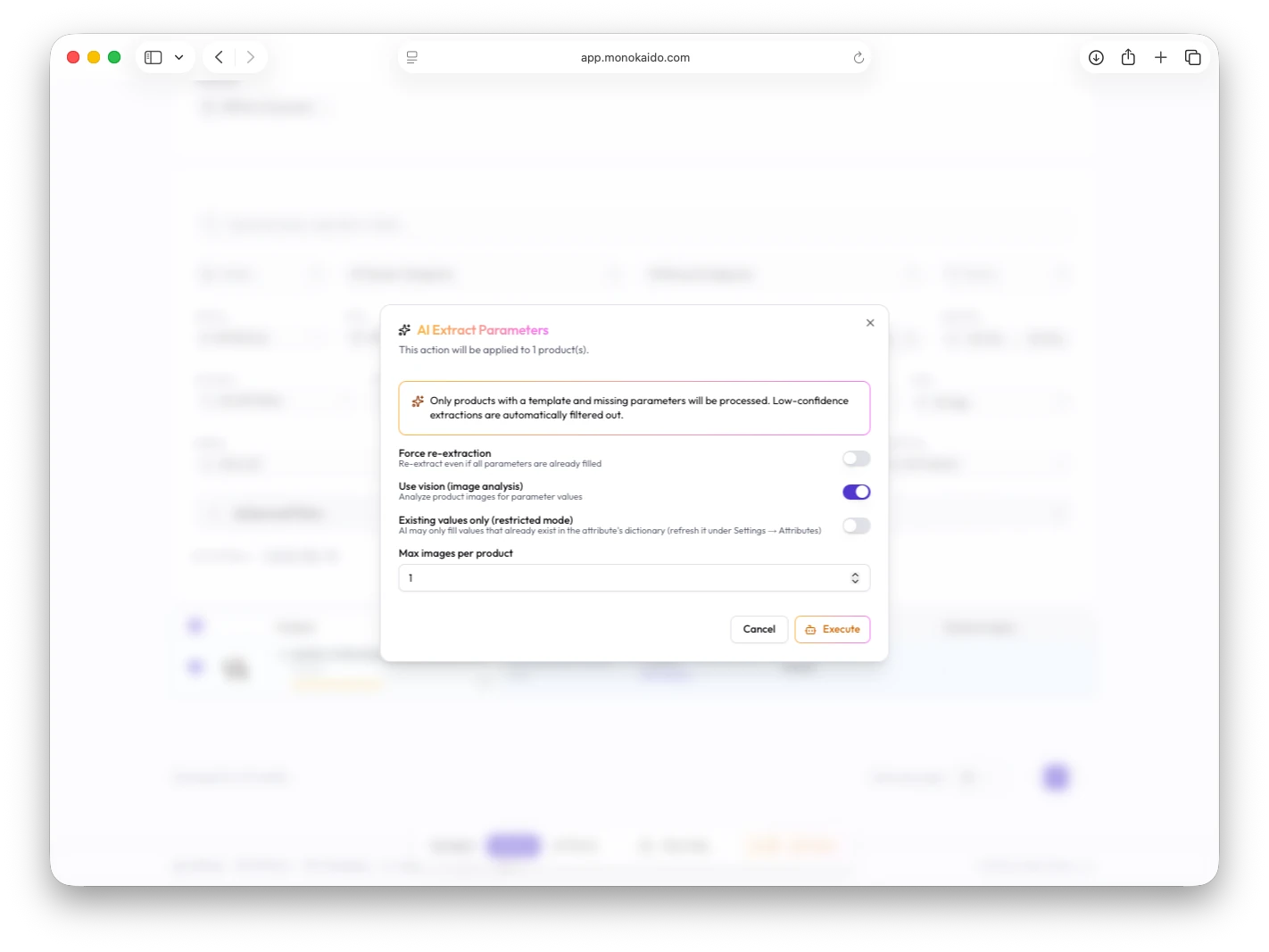
Consistent data across suppliers
Different names such as “Volume”, “Capacity”, “Objem” or “Kapacita” are unified under a single parameter. Units, numeric values, text format, colours and values from suppliers' code lists are normalised in the same way. Only once the values are unified like this do filtering, search and product comparison start to work.
Descriptions generated from structured data
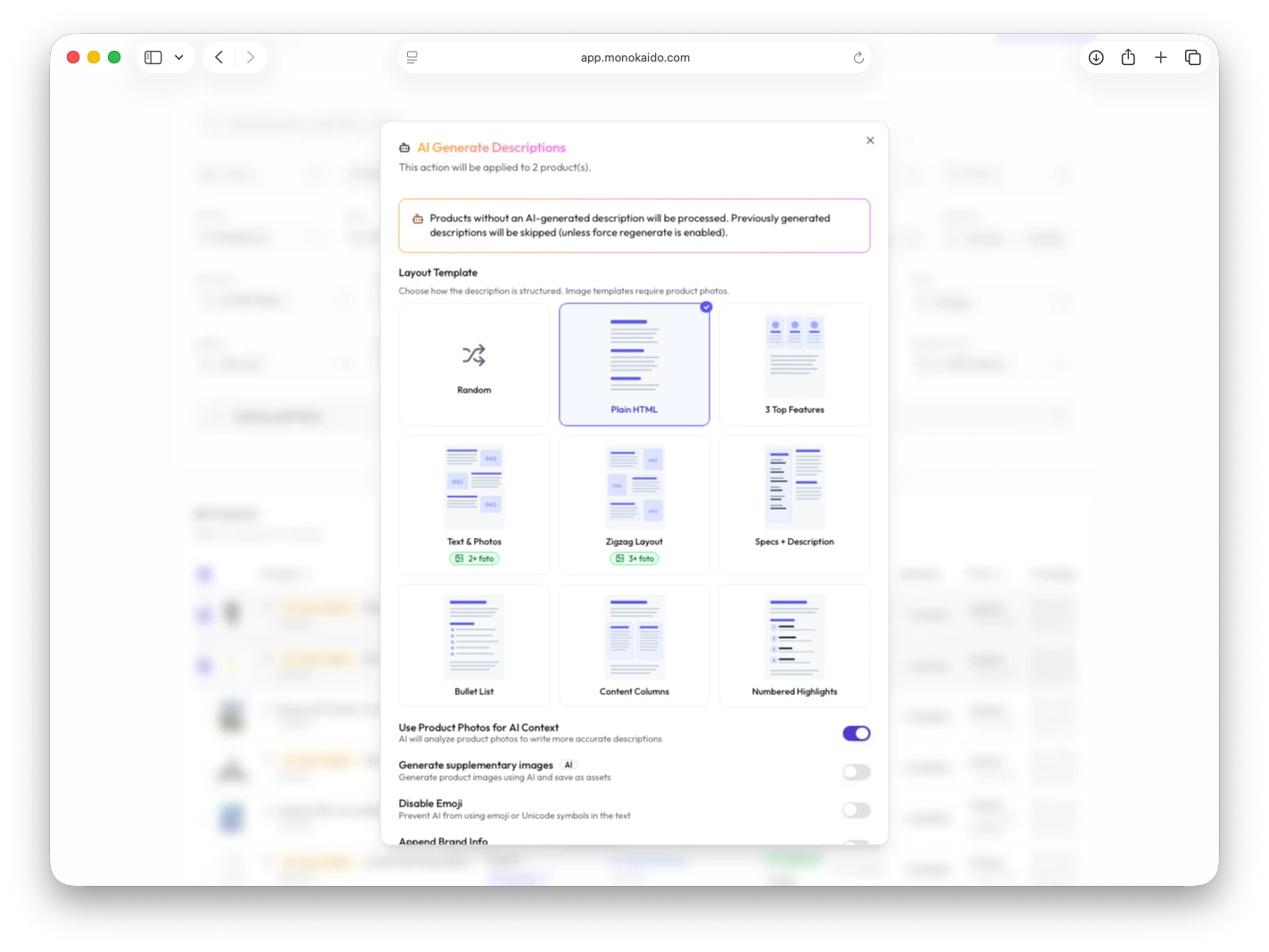
Once a product's parameters are filled in and normalised, the system builds a description from them. You choose the layout from eight templates: Plain HTML, 3 Top Features, Text & Photos, Zigzag, Specs + Description, Bullet List, Content Columns and Numbered Highlights.
The output is portable HTML that does not depend on any particular online shop — the target system adapts it to its own design.
A multilingual catalogue without losing context
You translate the prepared content into every language you have set up — names, long and short descriptions, SEO titles, meta descriptions, URLs and image alt texts.
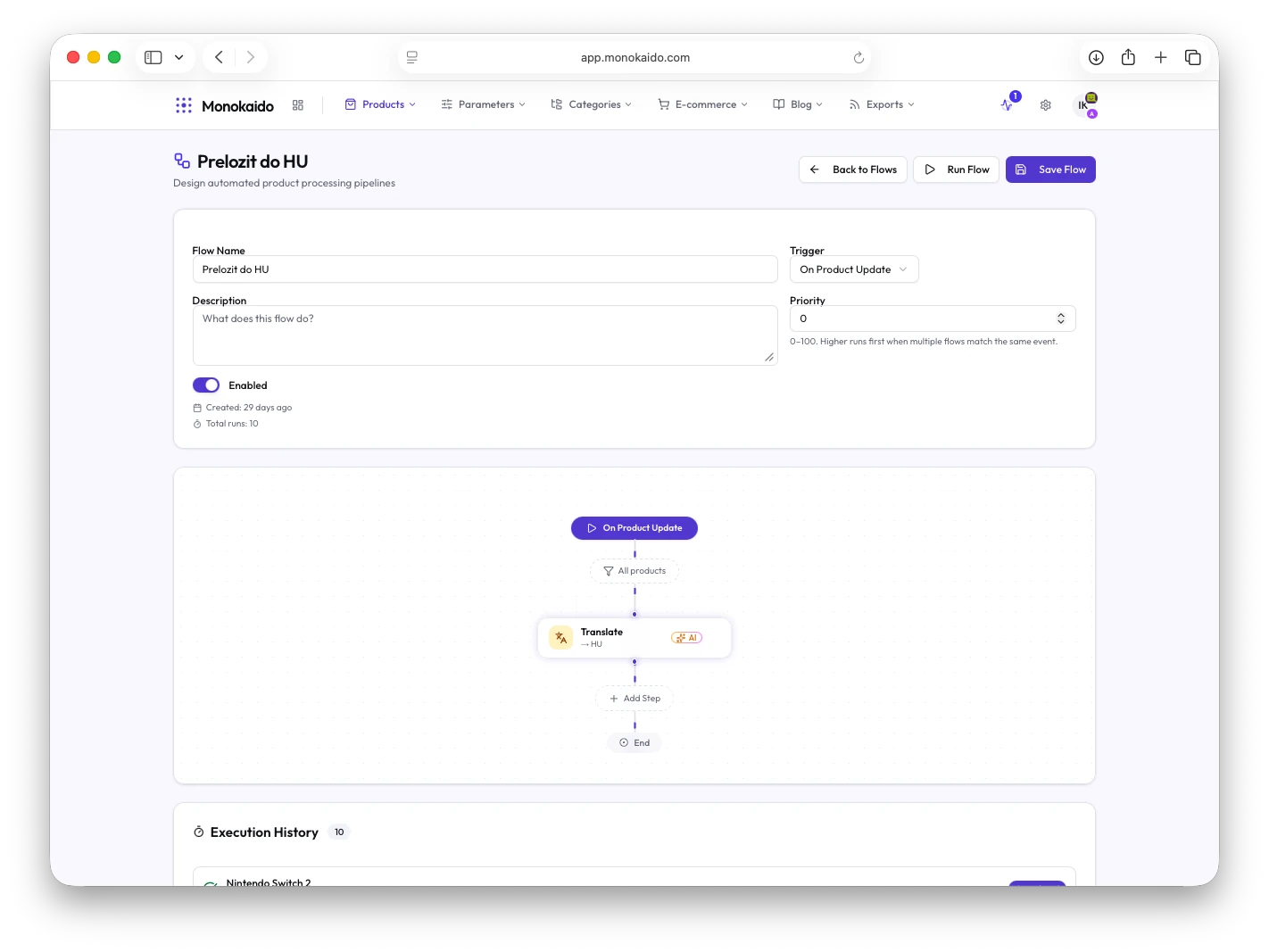
Translation preserves the HTML structure, CSS classes and formatting. The category, brand and technical parameters serve as context, so that the result fits the specific product. Translations can be run as a step in Product Flows.

Prices in the market's currency, data in the target system
Currencies and prices
European Central Bank exchange rates with a configurable update interval. A manually entered rate takes precedence over a downloaded one. For each market you set a price markup and its own rounding rules.
Where the catalogue goes
A direct connector, the REST API, a scheduled XML feed or output prepared to the requirements of a specific platform.

What changes when Monokaido manages your product data
Where next
The product lifecycle is built on the PIM core, the AI tools and the modules; you can chain its steps together in Product Flows.
Let's try it on your own catalogue
We'll walk through your feeds, categories and parameters live.