
Parameters you can actually filter by
Every supplier writes colours, sizes and units differently. Monokaido unifies the names of parameters (attributes) and their values — with AI suggestions, one-click transformations and rules that apply at every subsequent sync.

Three “blacks” in the filter sell worse than one
Parameter mapping makes sure that both Farbe and Color end up in Colour. Value mapping does the other half of the work: schwarz, Black and BK are one value.
From supplier feeds
- FarbeschwarzBlackBK
- Colorblackmatt black
- ColourBLACK
In your catalogue
Colour
The filter in the shop offers one black — not three, each with two products.
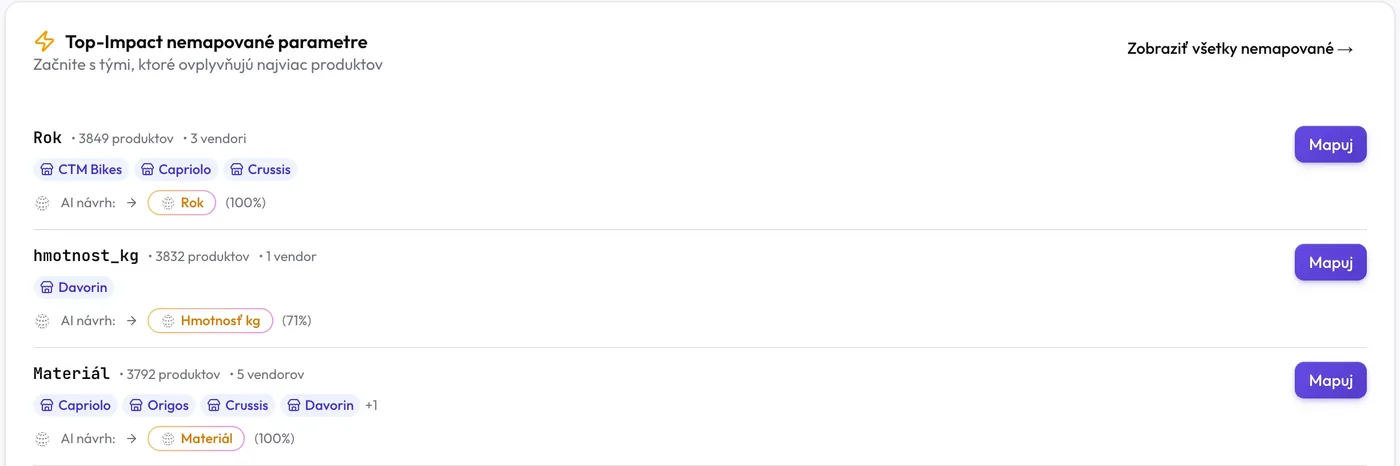
Start with what affects the most products
The overview shows unmapped parameters ordered by the number of products and suppliers — and for each one an AI suggestion with its confidence. One click on “Map” and the values of thousands of products sit under the right parameter.
- “Compare vendors”: AI compares the parameters of two suppliers at once — the names and sample values
- Every pair has high, medium or low confidence; you tick all the high-confidence ones at once and confirm them as a list
- AI value mapping suggests which spellings belong together — you confirm the suggestions
“30 CM”, “30 cm” and “30cm” — with one rule
Many values need no translation, only a different spelling. A transformation shows the result for each value before you save it, and a bulk transformation applies it to all the unmapped values of a parameter at once — without AI and without credit.
- Letter case, spaces, units, whole numbers and numbers with decimals, diacritics, text in brackets
- A custom sequence of steps: replace text, a regular expression, a prefix or suffix, splitting “black/white” into two values
- Only what the transformation really changes is saved — every value has a preview of what will happen to it
Custom transform
Parameter “Length” · values from the supplier's feed
- 1Trim spaces
- 2lowercase
- 3Attach unit to number (30 cm → 30cm)
- Step
Only values that changed are saved.
Save 3 mappings
You decide once and every sync sticks to it
Mappings are not a one-off tidy-up. They are rules by which every later import is written correctly — and your manual decisions always take precedence.
A rule for one supplier
“MW” means “yes” for one supplier and “microwave” for another. A rule applies to all suppliers or only to the one you choose — and that supplier's rule takes precedence.
Read the guideFirst the value, then the name
The rules of the feed parameter apply first. So a frame size of “47” becomes “47cm”, while “47” from a shoe feed stays “47” — even though both end up in the Size parameter.
Read the guideDon't carry this value over
A feed value that does not belong in the shop is neither written to the parameter nor sent anywhere — not to the shop, the feeds or the ERP. It does not change values entered by hand.
Read the guideSuppressing a value
You remove an unwanted value from the product, the shop, the feeds and the ERP, and later syncs do not add it back. You can restore it at any time on the Suppressed tab.
Read the guideA manual edit the feed does not overwrite
You can edit any value by hand — whether it comes from the feed, from AI or from a rule. You see who changed it and when, and you restore the original value in one click.
Read the guideMap a parameter straight from the product
You move values under another parameter straight from the product's table, and in the templates too. The dialog tells you in advance how many values will move and how many will merge.
Read the guide
For every value you know where it came from and what will happen to it
The product's parameter table has a row for every value — with the original value from the feed, its origin and a status that tells the truth.
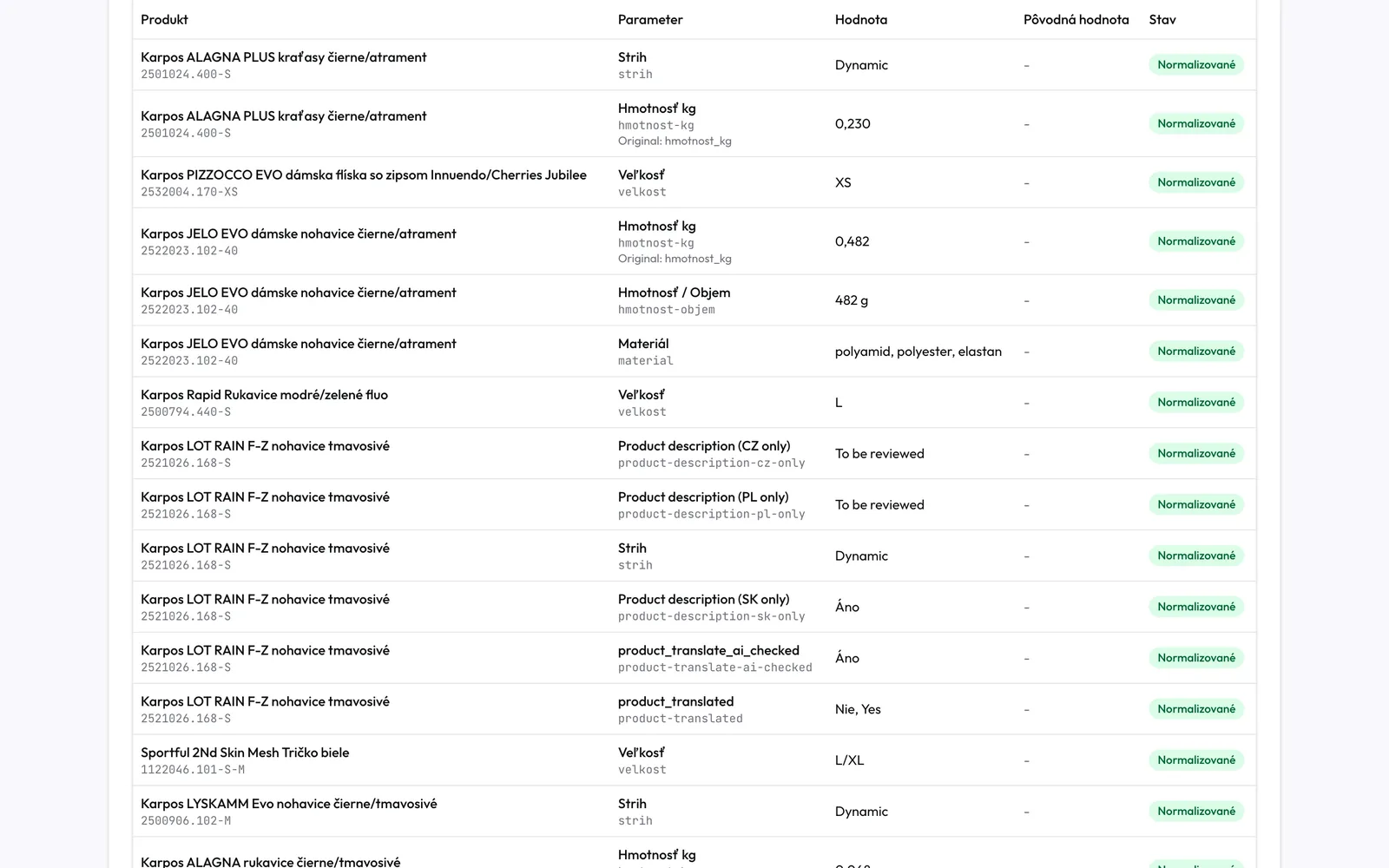
The “Output” tab
Exactly what can leave the product for the feeds and the ERP: the values after mapping, each one once. Parameters with export switched off are listed separately.
Nothing is lost
You can restore suppressed values, revert manual edits to the original value and remove a “Don't carry over” rule — the value comes back at the next sync at the latest.
We'll show you your parameters — tidied up
On a demo we'll connect your feed, AI will suggest the mappings and together we'll unify the first values.