
Enrich the products in your online shop with AI
From a name and a photo, AI builds a complete product page — the description, parameters, categories and translations into 40+ languages.
No payment card needed. Package L free for 7 days.
Your feed today
Running shoe, grey
Description missing
3 seconds later

Running shoe, grey
A lightweight running shoe with a breathable upper and a cushioning foam sole. Ideal for running and everyday wear.
Monokaido AI and the services it uses
 ChatGPTOpenAI
 ClaudeAnthropic
 GeminiGoogle
 Higgsfield
- Monokaido AI
See how an incomplete feed becomes a finished product
Monokaido copies the product data, fills in the missing content and gets it ready for publishing. You'll see how it all works in one minute.
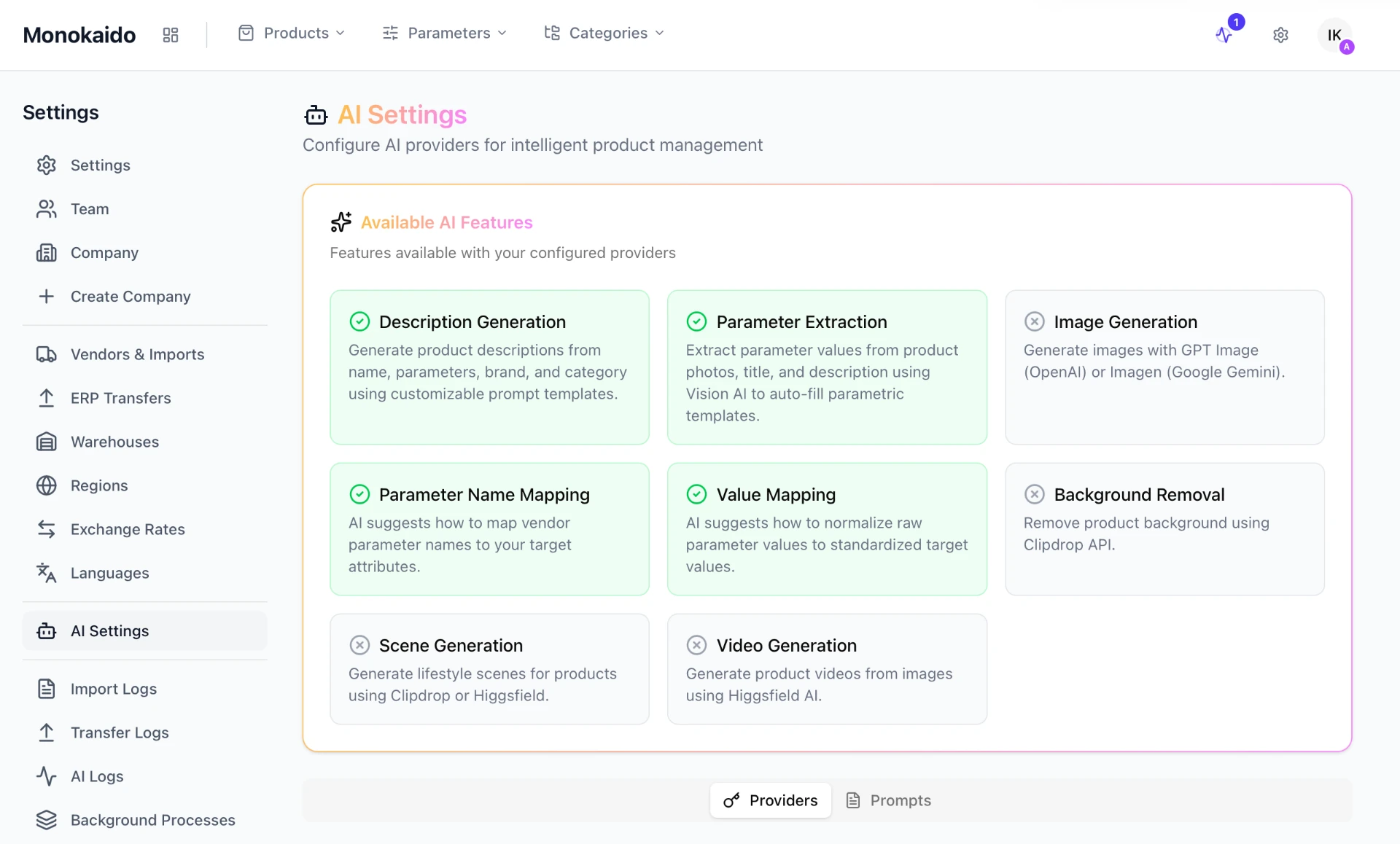
Connect your own API keys from OpenAI, Anthropic or Google — or switch on Monokaido AI and leave running the models to us.
Brand Voice
Your brand's tone guides every AI output — descriptions, translations and blog articles.
Monokaido AI included
Every package includes monthly AI tokens, and credit you top up never expires — no need to open accounts with OpenAI or Anthropic.
Models change, your settings don't
When a provider retires a model, the system switches to its successor. If an API fails, the next provider in line takes over.

From chaos to order in minutes
Traditional PIM systems need weeks of manual work for every new supplier. In Monokaido, AI does the same job.
One catalogue
Bring data from dozens of suppliers into a single, consistent structure.
No manual retyping
AI fills in the values right in the catalogue — no copying between Excel, the feed and the shop.
Multilingual
Translate the whole catalogue into 40+ languages in one click.
Enterprise-grade security
Row-Level Security isolates your data and AES-256-GCM encrypts sensitive credentials, with rate limits and a record of every change on top.

Six steps from a supplier feed to a ready-to-use catalogue
Sign-up and team
You create your company workspace, invite your team and assign roles (Admin / Editor / Viewer). Multi-tenant isolation makes sure nobody else sees your data.
Connecting suppliers
You add supplier feeds in XML, CSV or JSON. AI works out the mapping from the first feed it downloads.
Automatic import
Imports run on the schedule you set. Feeds are processed as a stream, so even catalogues of hundreds of MB — and several suppliers at once — go through.
AI normalisation
AI converts differing parameter names and values (“Men's” = “Male” = “M”) into one shared value across all suppliers.
Rules and Product Flows
You set what should happen on every change in the catalogue — categorisation, tagging, description generation and translation then run by themselves.
Export and distribution
You send clean data out through XML feeds (Google Merchant, Facebook, Árukereső, Árgép), the REST API or a transfer to your online shop and ERP — regularly or on demand.
AI writes the descriptions, you set the tone
The system comes with ready-made prompt templates for individual categories. AI fills them with the product's data and generates the finished text.
- Preview the output before you run it in bulk
- Bulk generation for thousands of products at once
- SEO-ready output in 40+ languages
AI Vision fills in the missing values
The system recognises the parameters defined for a category straight from the product's own data. The bulk editor then fills in the values for whole categories at once.
- Recognition from the product's name, description and photos
- An overview of parameter coverage for every product
- Filtering by supplier, category and brand

Connectors to the most widely used AI models
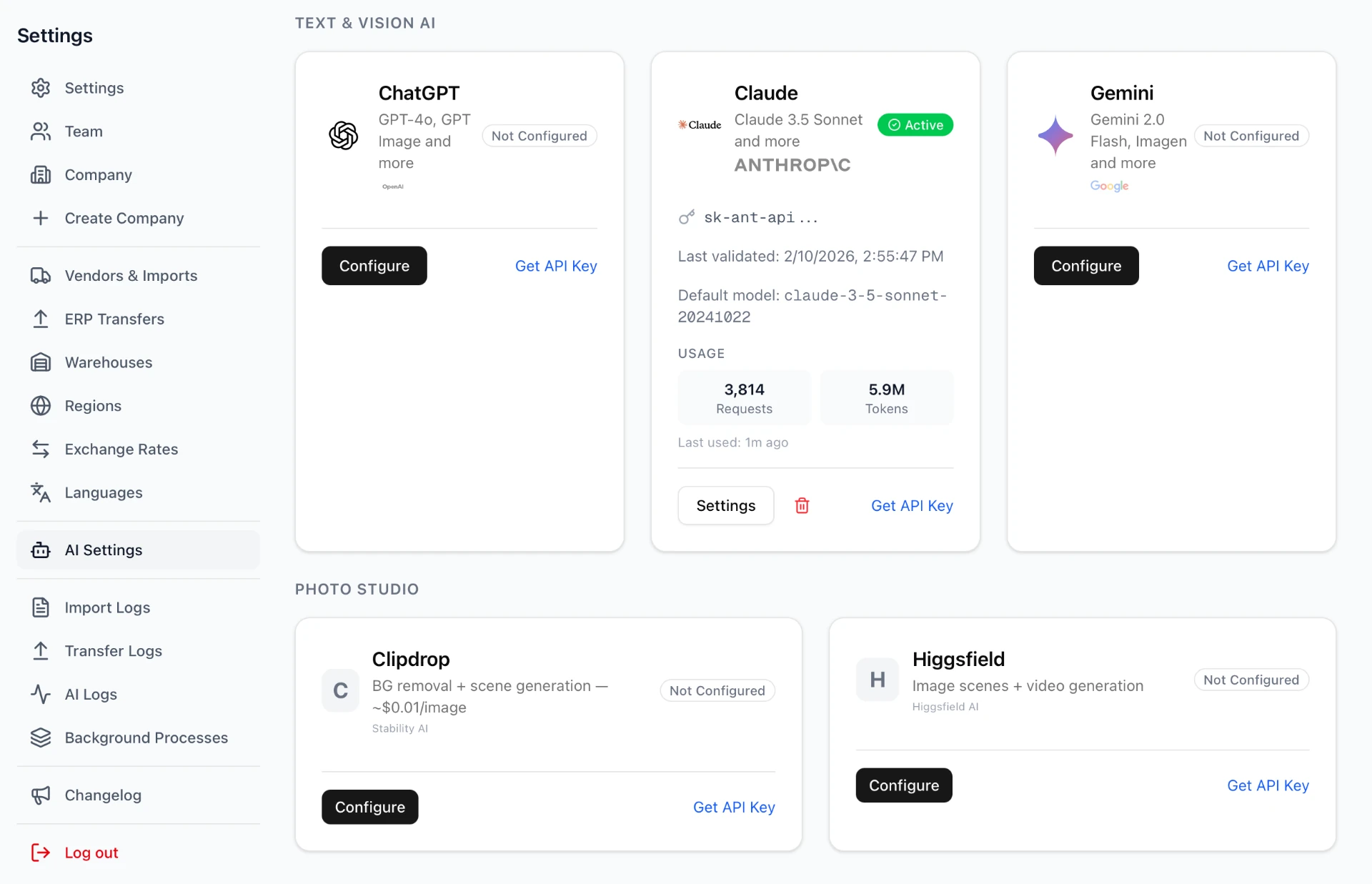
With your own API keys, you choose the model for each task separately — from text to images. If you switch on Monokaido AI, the system chooses the model and also keeps track of each provider's rate limits and waiting times.
- OpenAI, Anthropic and Google — text and image (vision) models
- Clipdrop and Higgsfield for generating photos and videos
- Tracking of token usage and API calls

One data model, six modules
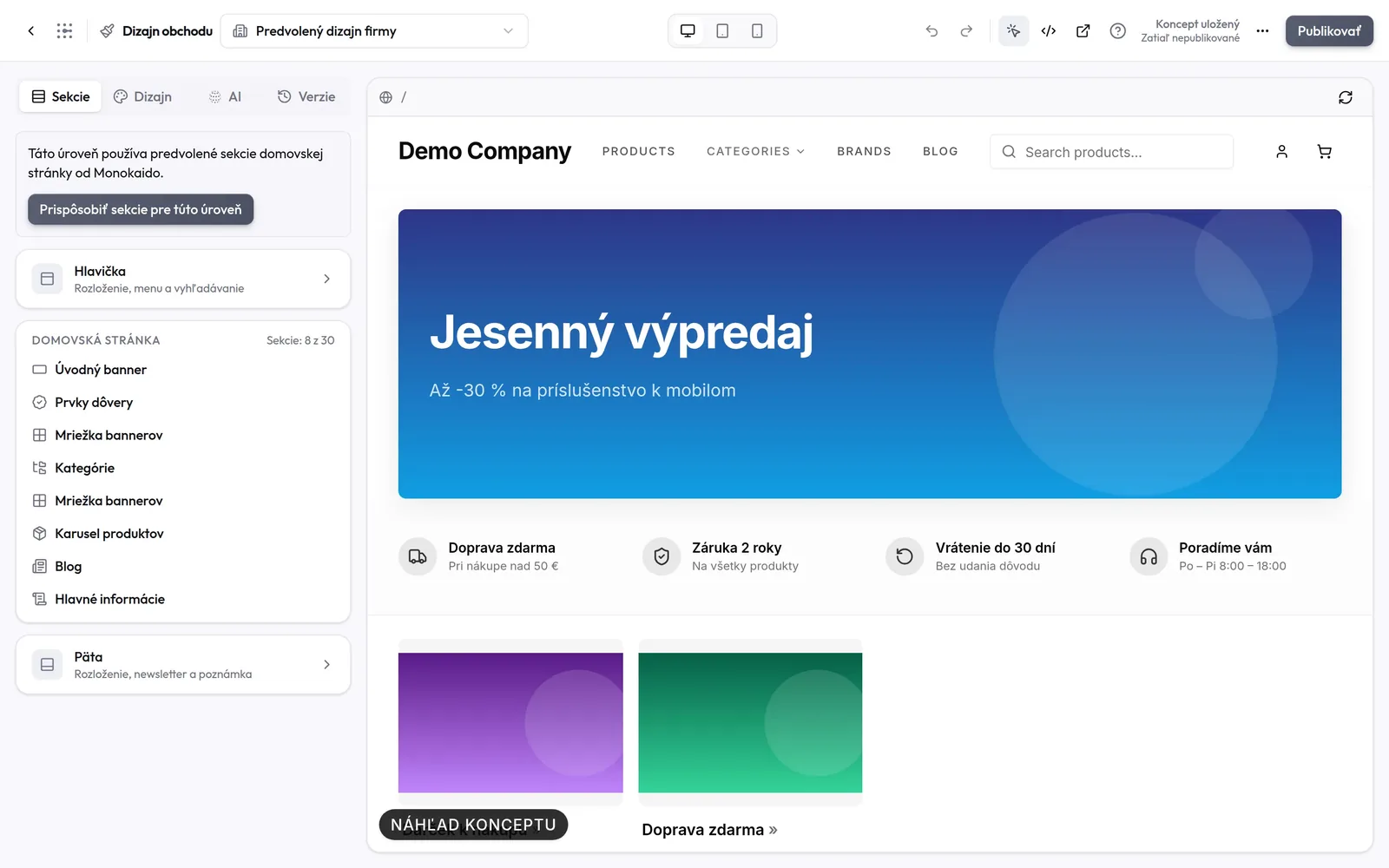
All the modules work on the same catalogue — there is no data to sync between them.
PIM core
Import, normalisation, parameters, categories, duplicate detection and processing rules.
AI tools
Descriptions, parameters from photos and translation of the whole catalogue.
Photo Studio
AI scenes, background removal, colour replacement and product videos.
E-commerce
A visual shop editor, payments, shipping, orders and shopping through AI agents.
Blog & CMS
A topic pool, AI authors, banners and an announcement bar for better SEO.
Export and integrations
Feeds for Google, Facebook and price comparison sites, a REST API and transfers to Grandus, Shoptet, WooCommerce, Cybersoft i6 and ANsystems.

A platform that grows every week
Recent months have brought a visual shop editor, shopping through AI agents, social media posts and tools for clean parameters and duplicates.


Product Flows
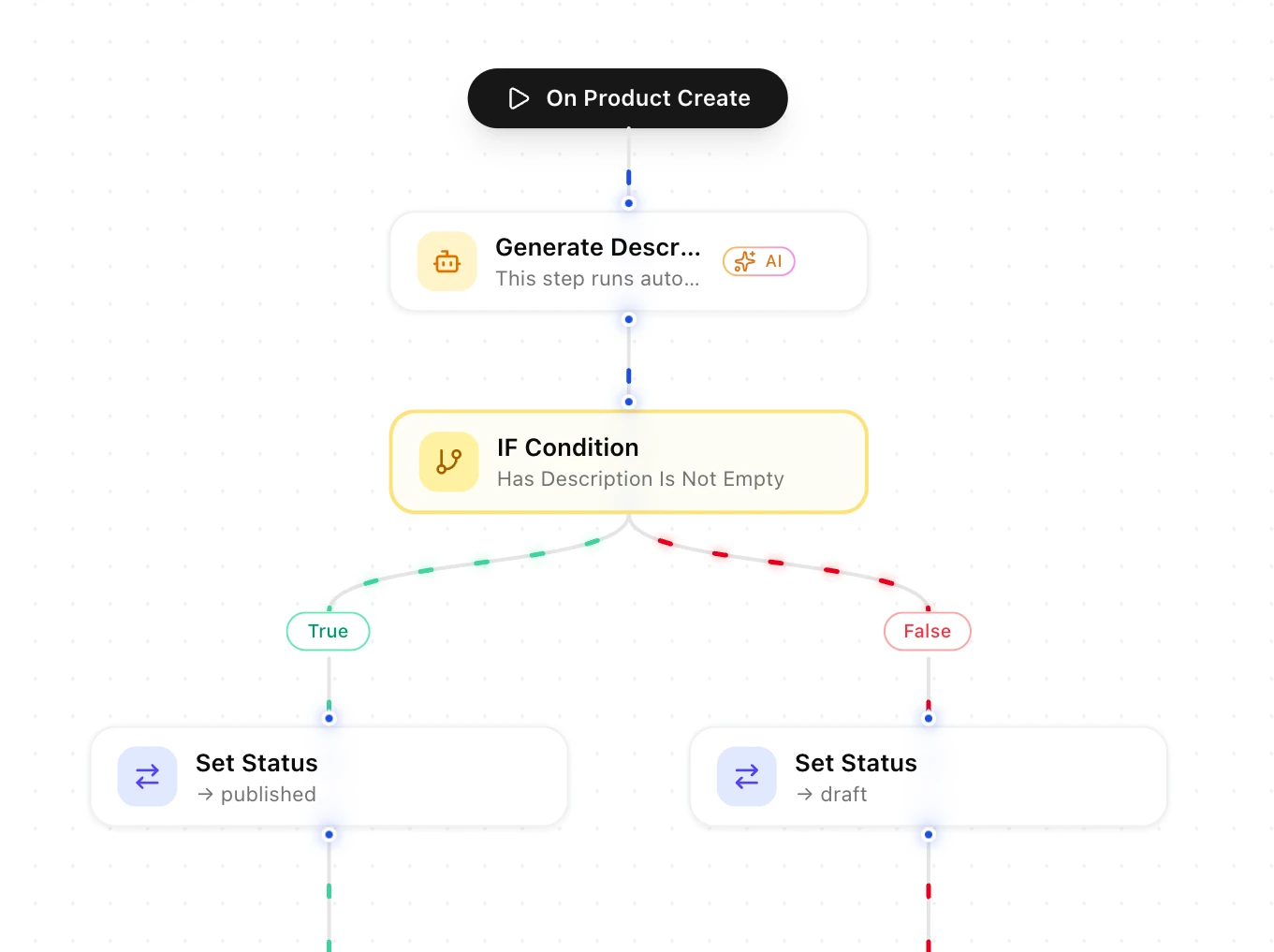
Put together a visual flow for your product data — with AI steps, conditions and 20+ actions, from import right through to publishing.
- A drag & drop editor right in your browser
- Insert an AI step anywhere in the flow
- IF/THEN conditions on 12 fields with 6 operators

AI Core Brain
Every AI task passes through a single layer that knows the product's context, your Brand Voice settings and the chosen model. That is why output from different modules sounds the same, and you don't have to set up the same thing in each of them separately.

A return you can see in the numbers
Rolling out Monokaido saves a mid-sized online shop tens of thousands of euros a year — according to calculations based on our clients' operational data.
Those six weeks are a developer's work on the parser and the feed mapping.
Descriptions, translations, photos and SEO articles, compared with creating content manually.
Verified on a production set of at least 10,000 products with vision models from OpenAI, Anthropic and Google.
Five providers back each other up — an outage at one of them does not stop the AI features.

The latest features in Monokaido
The list is updated with every release.
Let's try it on your own catalogue
We'll walk through your feeds, categories and parameters live.