
AI works directly on your catalogue
AI reads the same products, parameters and images you already have in Monokaido and writes the result straight back to them. You send nothing to other tools and copy nothing back.
Monokaido AI and the services it uses
 ChatGPTOpenAI
 ClaudeAnthropic
 GeminiGoogle
 Higgsfield
- Monokaido AI

Descriptions, parameters, translations, photos
Four modules that process thousands of products in a single batch — not one by one.
Description generation
Generates HTML descriptions from the template you choose — and takes into account what is in the product photos, too.
Parameter extraction
Pulls parameter values out of texts and photos, and notes for each one how confident it is and what it based that on.
AI translations
Each language has its own rules — the result is not a literal translation, but text that also holds its own in search in that language.
Photo Studio
Lifestyle scenes, background removal and colour replacement on top of your existing product shots.

What you won't find in other PIM systems
Your brand's tone in every text, models without needing your own accounts with providers, a retired model replaced by its successor, a translation glossary, and SEO content that links itself to related products.
Brand Voice
Define your brand's tone, the phrases you want to use and the ones AI should avoid. The rules are attached to every generated text — product descriptions, translations and the blog.
Monokaido AI — no API key of your own
The platform provides access to the models. Every package includes monthly tokens that are topped up when your subscription renews. When they run out, you buy credit for €10, €30, €100 or €250 — and it never expires.
Models that are always up to date
The list of available models is refreshed every day, and we test a model before it is saved. When a provider retires a model, the platform switches to its successor on its own — and when a model stops working, it alerts you by e-mail before you feel it in a bulk action.
Content Generator with internal links
Generates SEO content and inserts links to related products and categories into the text by itself. That way the network of internal links grows together with the catalogue.
Translation glossary
Terms AI must not translate, or that it writes in every language exactly the way you say — for example “SK distribution” as “EU-Vertrieb” in German. It applies to products, parameters, categories and the blog.
Social media posts
A branded image for Instagram or Facebook is created from the product detail, and AI writes the copy for it in your brand's voice — without making up prices or discounts.
AI Core Brain
Every AI task passes through a single layer that knows the product's context, your Brand Voice settings and the chosen model. That is why output from different modules sounds the same, and you don't have to set up the same thing in each of them separately.
Or connect your own API keys
If you already have accounts with OpenAI, Anthropic, Google or Clipdrop, enter your own keys and pay the providers directly. If not, you stay on Monokaido AI and have nothing to sort out.
- The key is verified as soon as you save it
- An overview of when the key was last used
- Separate settings for text AI and for Photo Studio
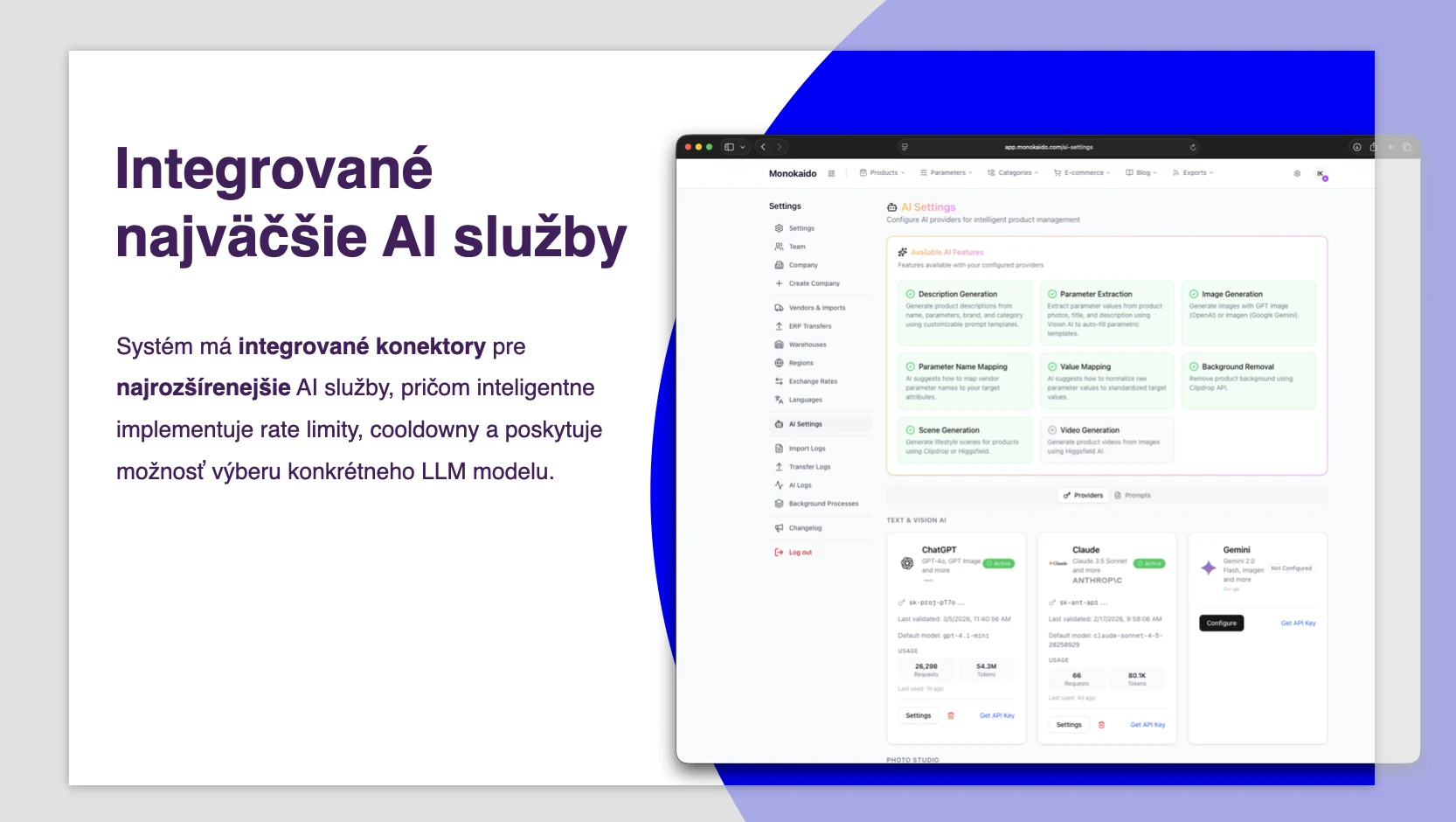

You choose the model for every task
Text, image and video models from five providers. You will find the specific versions in the admin.
OpenAI
GPT, GPT Image, DALL·E
Anthropic
Claude Sonnet
Google Gemini
Gemini, Imagen
Clipdrop
Compositing, background removal
Higgsfield
Flux Kontext, Soul, DoP video
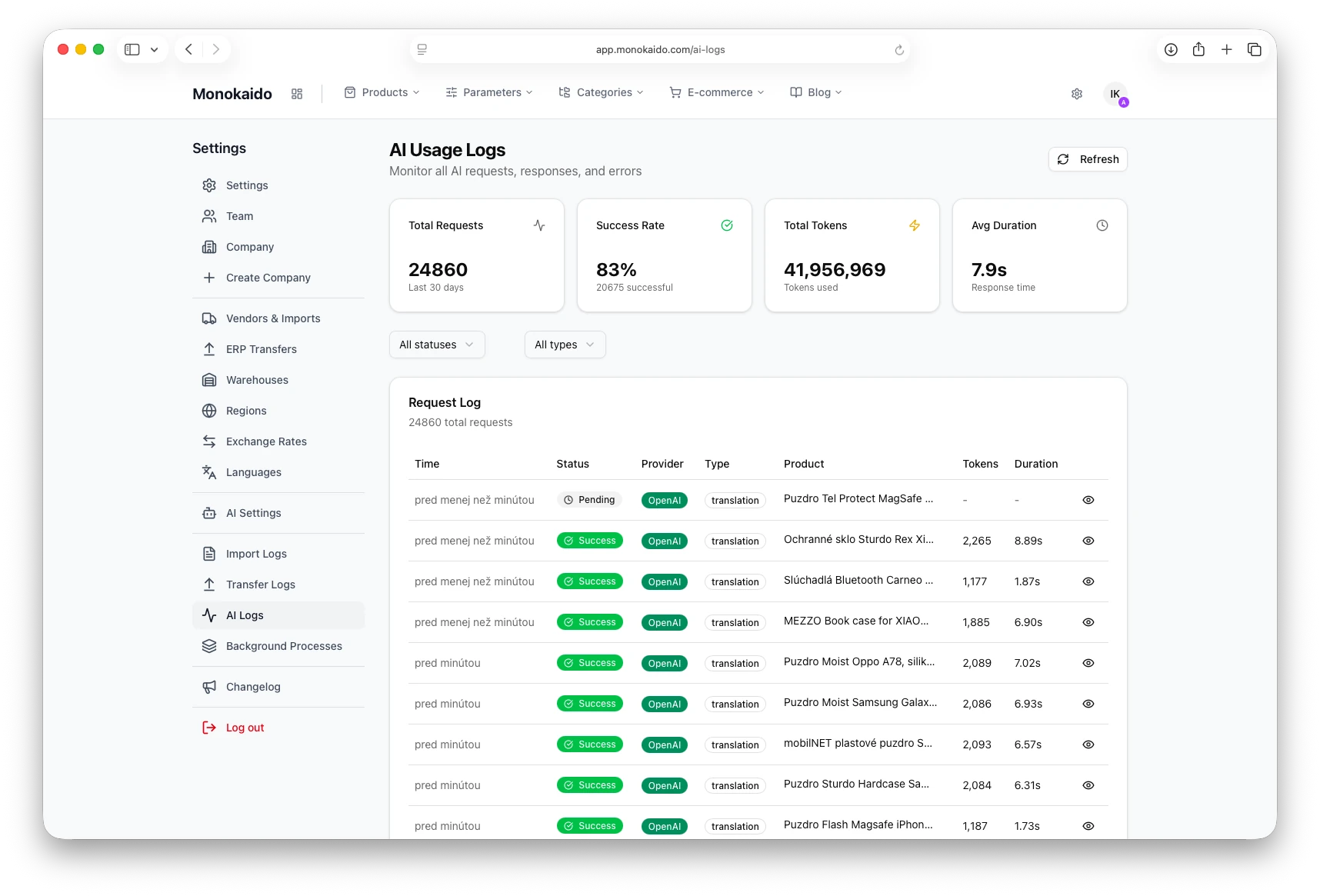
You can see what AI has used
Every request leaves a record — how many tokens it used, how long it took and whether it succeeded. You can filter by status and by operation type.

AI runs even where you don't start it
Import mapping, category suggestions, alt texts and brand profiles — the small jobs that would otherwise land on someone in your team.
Mapping suggestions
Maps suppliers' values to your own lists of values — “schwarz”, “black” and “BLK” end up as one value.
Read the guideCategory tree
Proposes a category hierarchy from unstructured data — you can still adjust it before it goes live.
Read the guideImage alt texts
Adds a description to every image, for search engines and screen readers.
Read the guideOne consistent AI interface
Progress, statuses and confirming the result are the same in every AI action.
Read the guideSupplier parameter comparison
AI compares the parameters of two suppliers at once and proposes pairs with a confidence level — you confirm them with one click.
Read the guideShop design proposal
Describe how the shop should look and AI prepares a proposal for colours, fonts and buttons, which you review before applying it.
Read the guideAn editor that keeps the AI layout
Editing an AI description by hand does not break its layout, and you pick images for the description straight from the product's gallery.
Read the guideLet's try it on your own catalogue
We'll walk through your feeds, categories and parameters live.