
PIM for catalogues with dozens of suppliers
Supplier feeds are imported automatically, parameters are normalised according to your rules, and duplicates are matched before they reach your online shop.
The whole catalogue on one screen
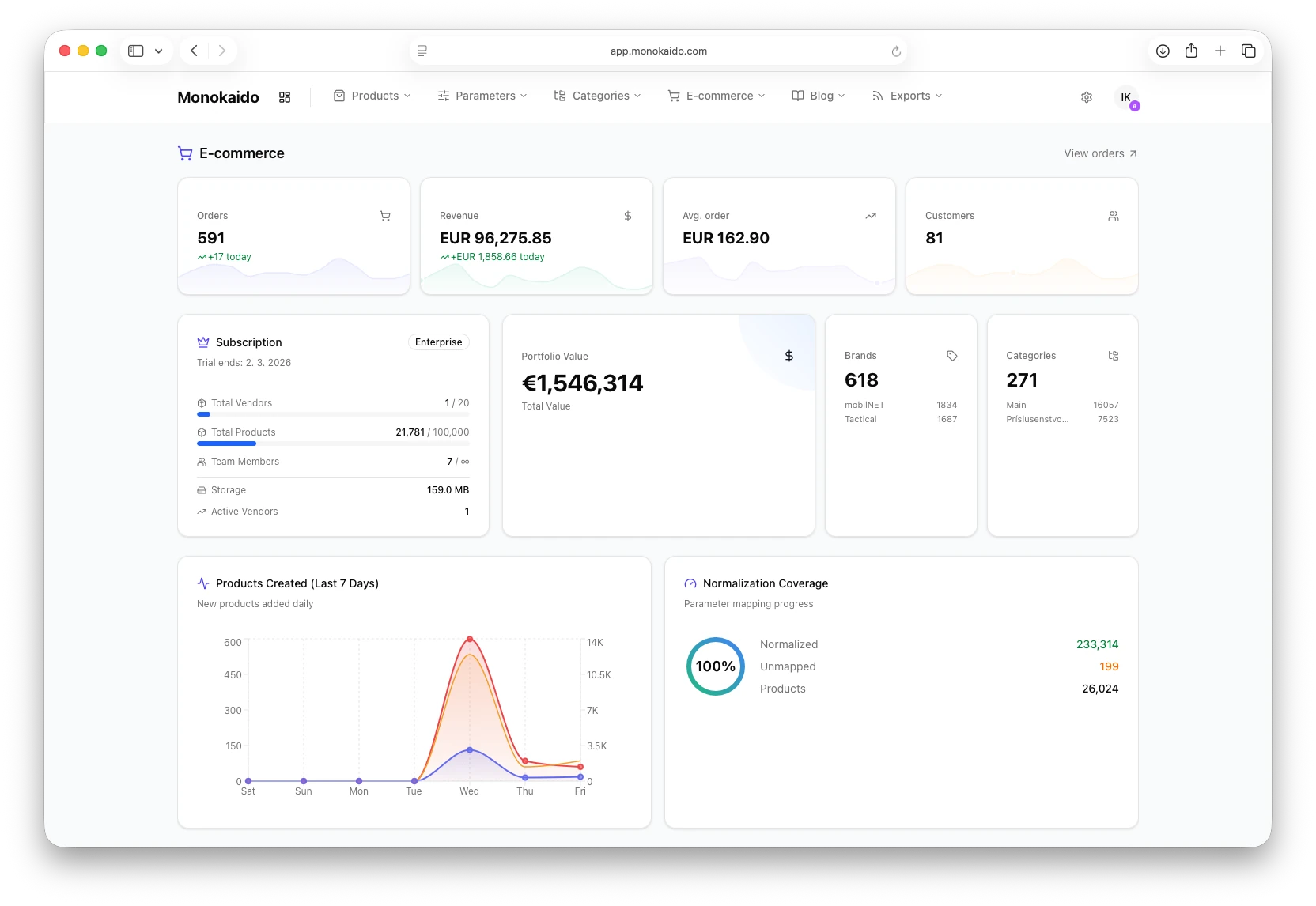
The dashboard shows the key metrics of your catalogue — the number of products, suppliers, brands and categories, and the normalisation coverage. You also see a chart of new products over the last 7 days and the distribution of products by supplier.
- Portfolio value in real time
- Share of normalised parameters as a percentage
- Top 3 brands, categories and suppliers

From a product's name to its price history
Variants, language versions and parameters belong to the same product, no matter which feed it came from.
Complete product data
Name, descriptions, prices, availability, variants, images and parameters under a single product.
Read the guideAdvanced search
Full-text search across names, descriptions and SKU or GTIN codes that tolerates a typo in the query.
Read the guideProduct variants
They are grouped without manual intervention, and each variant keeps its own price, stock and images.
Read the guide
One large feed doesn't hold up the rest
Feeds are processed concurrently and in batches, with their own pool of parallel threads.
Over 35 ready-made parsers
XML, CSV, JSON, Excel, BMEcat / ETIM, Heureka, Google Merchant (RSS and Atom), online shops on Shoptet, WooCommerce and Venalio, the ANsystems ERP and over 20 distributor-specific formats.
Read the guideSOAP, SFTP and separate feeds
Not just XML over HTTP — SOAP from suppliers, SFTP and a separate availability feed for near-instant stock updates.
Read the guideStream processing
The Go-based processor reads a feed in chunks, so it handles even hundreds of MB with minimal memory use.
Read the guideChange detection and feed archive
A checksum compares the feed with the previous run, so only what has changed is written. The raw feed is stored so that the cause can be traced back later.
Read the guide
Consistent parameters across suppliers
Mapping rules, conditional actions and bulk edits turn a raw value from a feed into a parameter that has one form in the catalogue.
Parameter mapping
Translates suppliers' names and values into the system's standards, with AI assistance.
Read the guideCategory tree mapping
You bring your suppliers' different category trees together into one final product catalogue.
Read the guideIF-THEN rules
You set a condition and the rule assigns a category, a tag or a parameter.
Read the guideBulk catalogue edits
You change parameters, categories and visibility — and run AI actions — on hundreds of products at once.
Read the guide
Add a new supplier in minutes
For feeds you have never seen before: an unknown format, unfamiliar field names, custom stock labels.
AI recognises the feed's structure
It suggests which path in the feed corresponds to which field in the catalogue — for example g:price → price.
Read the guideCopes with real-world data
CDATA, BOM, local number formats, predicate paths (e.g. attribute[name='Color']) and banded stock labels such as “>10 pcs” or “on order”.
Read the guideManual fine-tuning
You confirm the mapping or overwrite it, and each field still shows whether its value was suggested by AI, edited by someone or entered by hand.
Read the guide6 weeks → 15 minutes
An integration project becomes a self-service task.
“As a wholesale operator, I want to connect a new supplier myself, without waiting for a developer.”

Small things that save hours
What has been added to everyday work with products — from searching by a list of codes to images that load even from a supplier's protected server.
Search by a list of codes
Paste a list of codes, EANs or SKUs into the search — up to 300 at once — and you see exactly those products.
Read the guideDrag-and-drop photo order
You put a product's photos in order by dragging them with the mouse. The online shop, the ERP and AI get the same order, and a feed sync does not overwrite it.
Read the guideSplitting a product
You split a bicycle in three colours and four sizes into three products, each with its own sizes. A split can be undone.
Read the guideImages on our server
When a supplier's images load only for an allowed IP address, Monokaido downloads the originals to its own server, and both the online shop and the ERP get our copy.
Read the guideCSV, Excel, XML and JSON upload
The file format is detected automatically, and variants nested in XML are split into separate rows.
Read the guideA description editor that keeps the layout
Editing an AI description by hand does not break its layout, and you pick images for the description from the product's gallery.
Read the guideA bell that tells you in time what has happened
The admin header has a new bell with alerts: when an AI task or a translation finishes, when a new order arrives from your online shop, or when a supplier's import keeps failing. Anyone who wants to can also get them as browser notifications.
- Alerts about finished and failed background tasks — AI descriptions, translations, Photo Studio
- A new order from the online shop reaches every team member
- Everyone can switch alert categories off in the settings to suit themselves
Notifications
Mark all as readBulk AI descriptions finished
248 products · 2 min ago
New order no. 2026-1042
Your shop · €89.90 · 12 min ago
Supplier import keeps failing
3× in a row · 1 h ago

A catalogue you can roll back a step
Who changed a price, when a product disappeared from the feed and which edits nobody has reviewed yet — a PIM you can audit, not just fill up quickly.
Reviewing and reverting changes
For every product change you see who made it, when, and from what to what. You mark a change as reviewed or revert it, one by one or in bulk.
Read the guideCustom product statuses
Add statuses such as Clearance, Premium or Coming soon, give them a colour and let them trigger Product Flows.
Read the guideA missing product hides itself
When a product disappears from the feed, the platform hides it and saves its previous state. A safeguard stops a mass hide of more than 25% of the catalogue.
Read the guideBulk actions with a preview
Before you run an action, you see which products it will touch. Once it is done, a record of each of them remains, and you can save the filter for the next round.
Read the guide
The things you only ask about at signing
What each AI call costs, what happened in the system yesterday, which products have required fields left empty and whether any of them is in the catalogue twice.
AI call audit
A record of every AI call: the prompt, the response, the number of tokens and the cost.
Read the guideDaily summary by e-mail
An overview of syncs, AI activity, e-commerce trends and news from the blog.
Read the guideGlossary of PIM terms
A built-in glossary of nearly 40 terms right in the admin shortens the training of new users.
Read the guideParameter (attribute) templates and a completeness score
For each category you define the required fields, and the score shows how many of them are filled in. Import and export via CSV or XLSX.
Read the guideMatching engine and duplicate merging
Five detection rules (GTIN, MPN, manufacturer SKU, variant SKU) with a confidence level, a merge with a choice for every parameter, up to 100 pairs in bulk — and a merge can be undone.
Read the guidePublic Changelog API
You embed the changelog widget on your own website. Your customers then see what has been added, without you having to announce it separately.
Read the guide
E-commerce on top of the same catalogue
Orders, carts, payments, shipping, a loyalty programme and multiple storefronts run on the same catalogue — with no further synchronisation.
Payment gateways
Integrated payments, multiple currencies and a configurable checkout flow, including GDPR consents.
Read the guideShipping and orders
Management of carriers, order statuses, carts and customer accounts.
Read the guideDiscounts and loyalty
Coupons, a loyalty programme, banners and an announcement bar for marketing campaigns.
Read the guideSales and customers in numbers
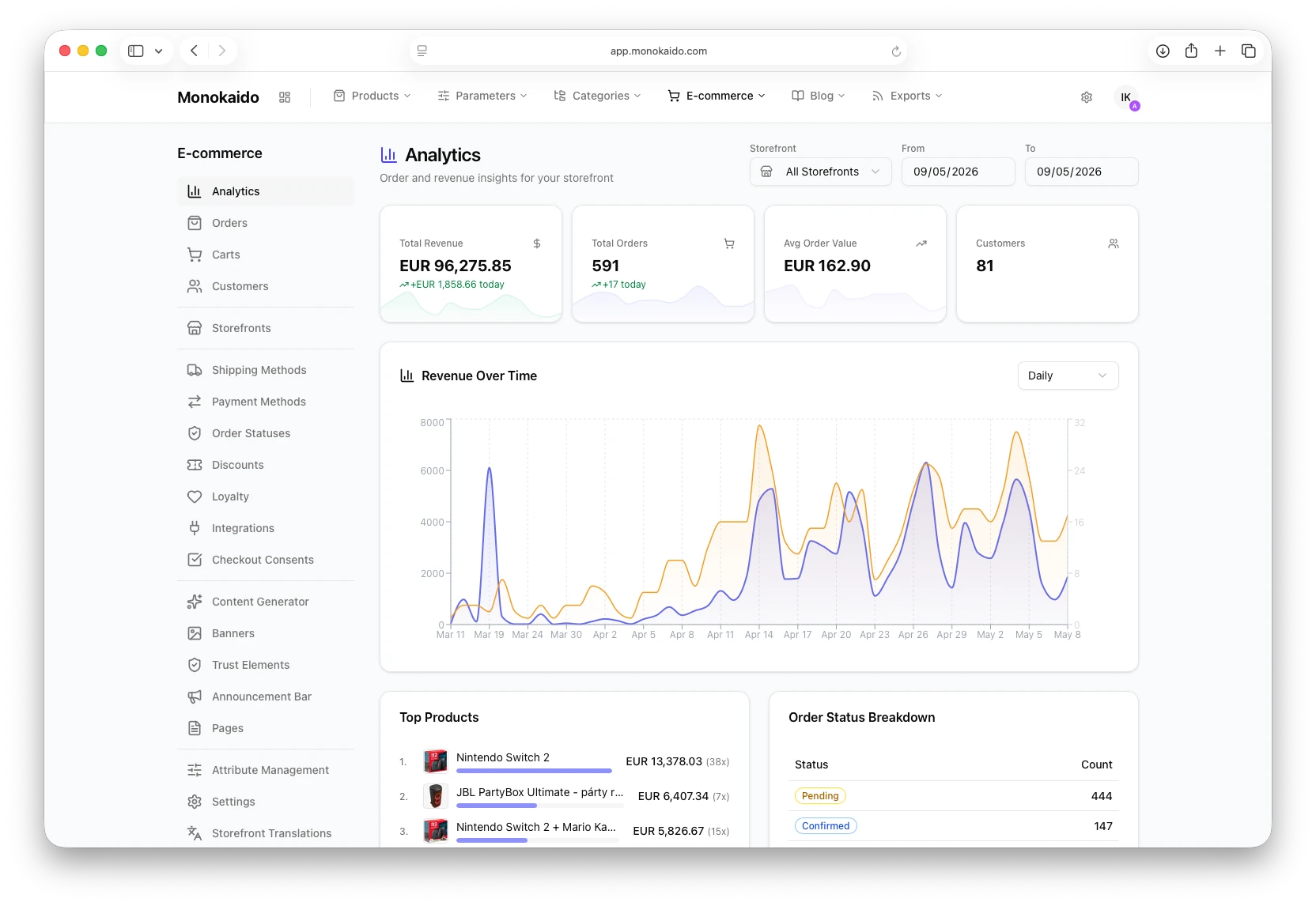
You see revenue, the number of orders and the average order value in a clear dashboard. You can filter by storefront and period.
- Revenue over time, with daily and weekly views
- Top products by revenue and number of sales
- A breakdown of orders by status and an overview of customers
What happens in carts before the order
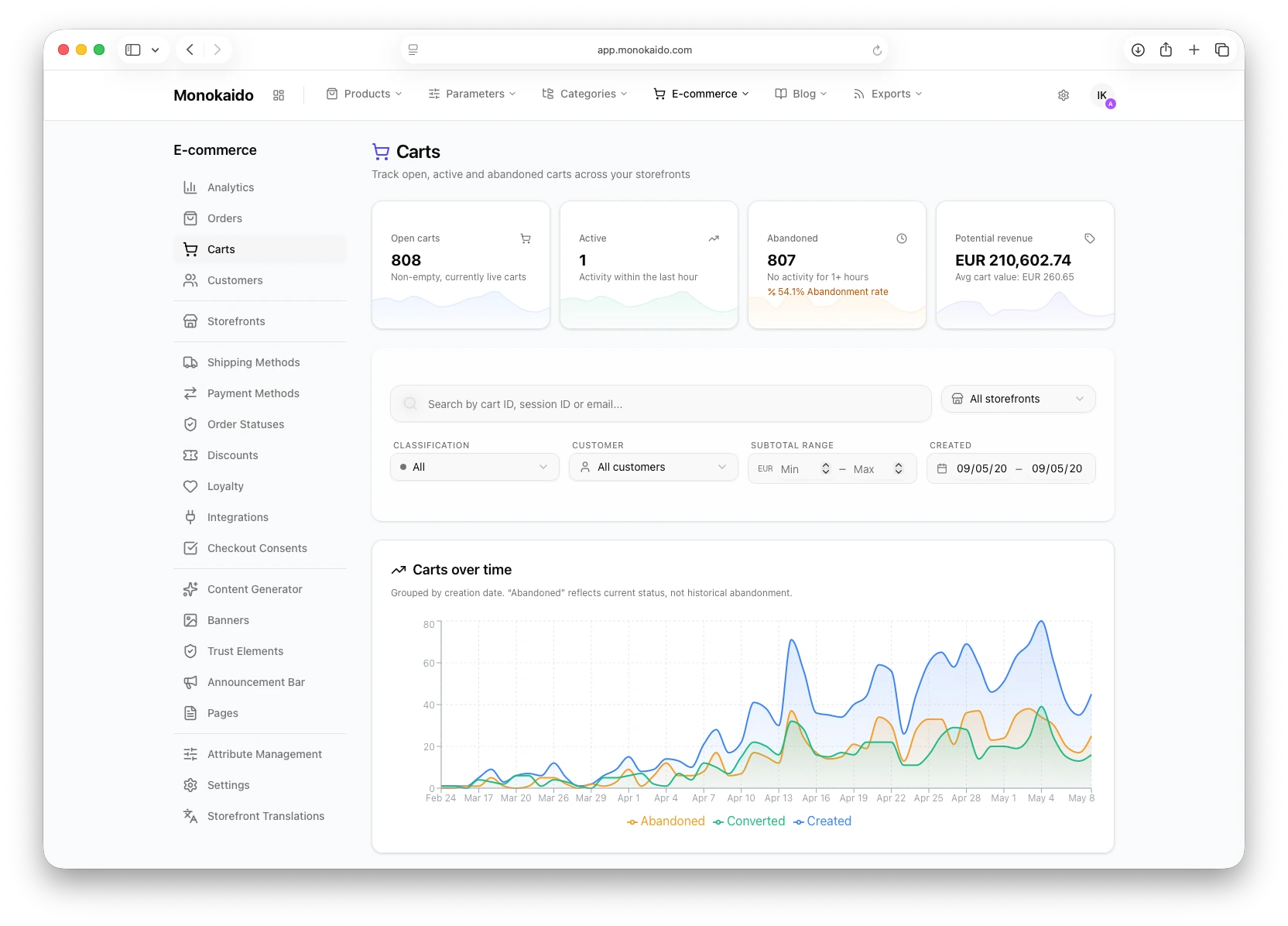
A detailed overview of carts across storefronts — open, active and abandoned. Filters by customer, cart value and period.
- Share of abandoned carts
- Potential revenue and average cart value
- Carts over time — abandoned, converted, created
Let's try it on your own catalogue
We'll walk through your feeds, categories and parameters live.